Web pages don’t always update when you expect them to.
You refresh the page. Nothing changes. You refresh again. Still outdated.
In many cases, the issue isn’t the website — it’s your browser cache.
Let’s break down what hard refresh actually means, why it matters, and how Auto Refresh Page can automate cache clearing safely and efficiently.
What Is a Hard Refresh?
A hard refresh forces the browser to reload a page while ignoring cached resources.
Normally, when you press refresh:
- The browser reuses cached CSS, JavaScript, and images
- It checks if the page changed
- It avoids re-downloading everything to save time
That’s efficient — but not always correct.
A hard refresh tells the browser:
“Ignore stored cache and request everything again from the server.”
Typical manual shortcuts:
- Windows:
Ctrl + F5 - macOS:
Cmd + Shift + R
This forces a fresh request for resources.
Why Cached Pages Cause Problems
Caching improves speed, but it can create issues in real-world workflows:
1. Ticket Releases & Limited Drops
Pages may look unchanged because cached content is reused, even though availability has updated.
2. Freelance Dashboards
New tasks might not appear if stale data is served.
3. Web App Deployments
During development, updated scripts or styles don’t load due to cached versions.
4. Status or Monitoring Pages
Cached HTML prevents accurate change detection.
In all these cases, a standard refresh is not enough.
The Problem with Manual Hard Refresh
Manually triggering hard refresh every few seconds is:
- Impractical
- Distracting
- Easy to forget
- Not scalable across multiple tabs
If you’re monitoring a page every 10–20 seconds, pressing Ctrl + F5 repeatedly isn’t realistic.
That’s where automation becomes useful.
How Auto Refresh Page Handles Cache Clearing
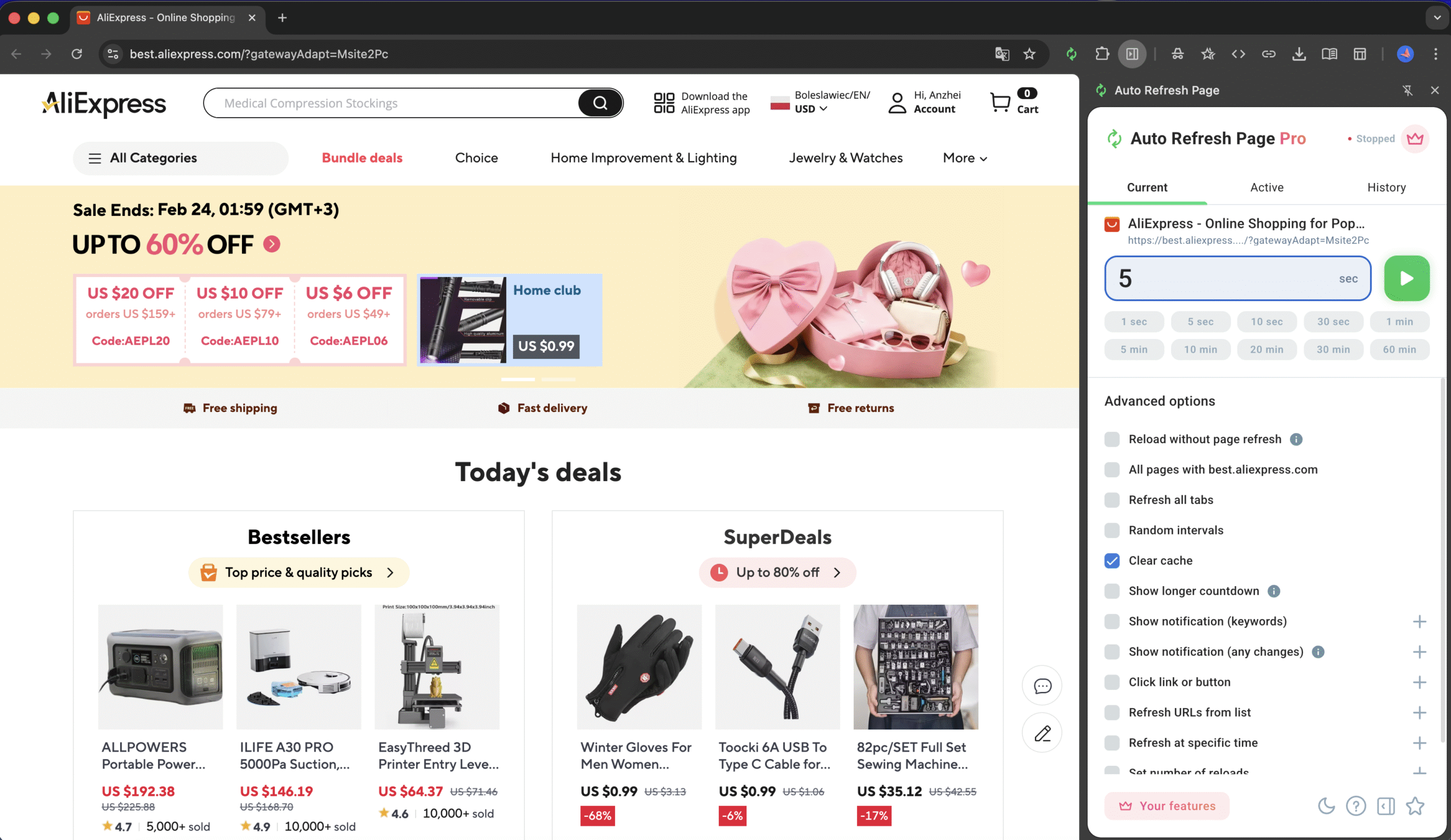
Auto Refresh Page allows you to enable automatic cache clearing during refresh cycles.
Instead of:
Refresh → stale content → manual hard refresh → repeat
You can configure:
- Automatic refresh interval
- Optional random delay
- Cache clearing enabled
- Page Monitor for change detection
Each refresh cycle can request fresh content rather than relying on stored resources.
How It Works (Technical Overview)
When cache clearing is enabled:
- The extension ensures fresh resource requests are made
- It avoids reusing stale cached responses
- It works within browser extension APIs (WebExtensions standard)
- No remote scripts or external code are executed
The extension operates within user-defined configuration. Nothing runs unless explicitly enabled.
This approach is especially useful for:
- Frequently updating pages
- SPAs with dynamic content
- Pages that rely on aggressive caching headers
When You Should Use Hard Refresh Mode
Cache clearing is powerful — but it shouldn’t be used blindly.
Recommended for:
- Monitoring ticket availability
- Tracking price changes
- Watching freelance or auction dashboards
- Verifying deployment updates
- QA testing
Not recommended for:
- Heavy media pages (bandwidth waste)
- Pages refreshed every 1–2 seconds
- Situations where server load must be minimized
Always balance refresh frequency with server responsibility.
Hard Refresh vs Normal Refresh: What’s the Difference?
Normal refresh:
- Faster
- Uses cached resources
- Lower bandwidth usage
Hard refresh (clear cache):
- Forces full resource reload
- More accurate for real-time updates
- Higher network usage
If you rely on change detection or live updates, hard refresh often provides more reliable results.
Real-World Example
In internal testing scenarios, we monitored dynamically updating pages with:
- 15-second refresh interval
- Random delay enabled
- Cache clearing active
- Page change detection
With cache clearing enabled, updates were consistently detected immediately after server-side changes.
Without it, stale content occasionally delayed detection.
The difference is especially noticeable on heavily cached platforms.
Responsible Usage Matters
Auto Refresh Page is designed with user control in mind.
You choose:
- The interval
- Whether cache clearing is enabled
- When monitoring starts and stops
We recommend using moderate intervals (10–30 seconds) and avoiding aggressive refresh cycles that could overload servers.
Automation should make your workflow easier — not abusive.
Final Thoughts
Hard refresh isn’t just a developer shortcut.
It’s a practical solution when:
- Accuracy matters more than speed
- Cached content blocks real-time updates
- Manual refreshing isn’t realistic
Auto Refresh Page brings that capability into a controlled, automated workflow — so you don’t have to rely on keyboard shortcuts or constant manual actions.
If you monitor changing web pages regularly, enabling cache clearing can significantly improve reliability and response time.